Case Study — Famysys
Famysys EMS
The brief
Famysys ran its people work across spreadsheets, chat and goodwill. The brief was one platform for the whole company: recruit, administer, pay, and run projects, with one sign-in, and with each person seeing only what their role allows. I designed and built it alone, from the first wireframe to the deploy scripts.
The build
It is an npm monorepo. The web app is Next.js 16 with React 19, split into four sites that share one shell: the employee portal with HRMS and PMS, the Hiring app, the admin Console and a public careers page. A proxy maps employee., hiring. and console. subdomains onto those routes.
Behind it sit four Express services, identity, hiring, hrms and pms, each with its own Prisma schema and its own MySQL database, mounted together in a single gateway process so the whole backend fits on shared hosting. Sign-in issues an RS256 access token that lives only in memory and a rotating refresh token in an httpOnly cookie; every write also lands in an audit table inside the same transaction. Shared packages hold the pure rules: the access engine, leave and payroll maths, task and timesheet logic, zod contracts.
The practice
Every workspace type-checks and lints. Unit tests run on Vitest, service tests run against real test databases with the checked-in migrations, and Playwright drives Chrome, Firefox, WebKit and a phone through fourteen journeys, with axe on every page. 247 commits in three weeks, all mine.
- Screens
- 0
- Data models
- 0
- Test files
- 0
- Commits in 3 weeks
- 0
The access check
Checked after every sign-in
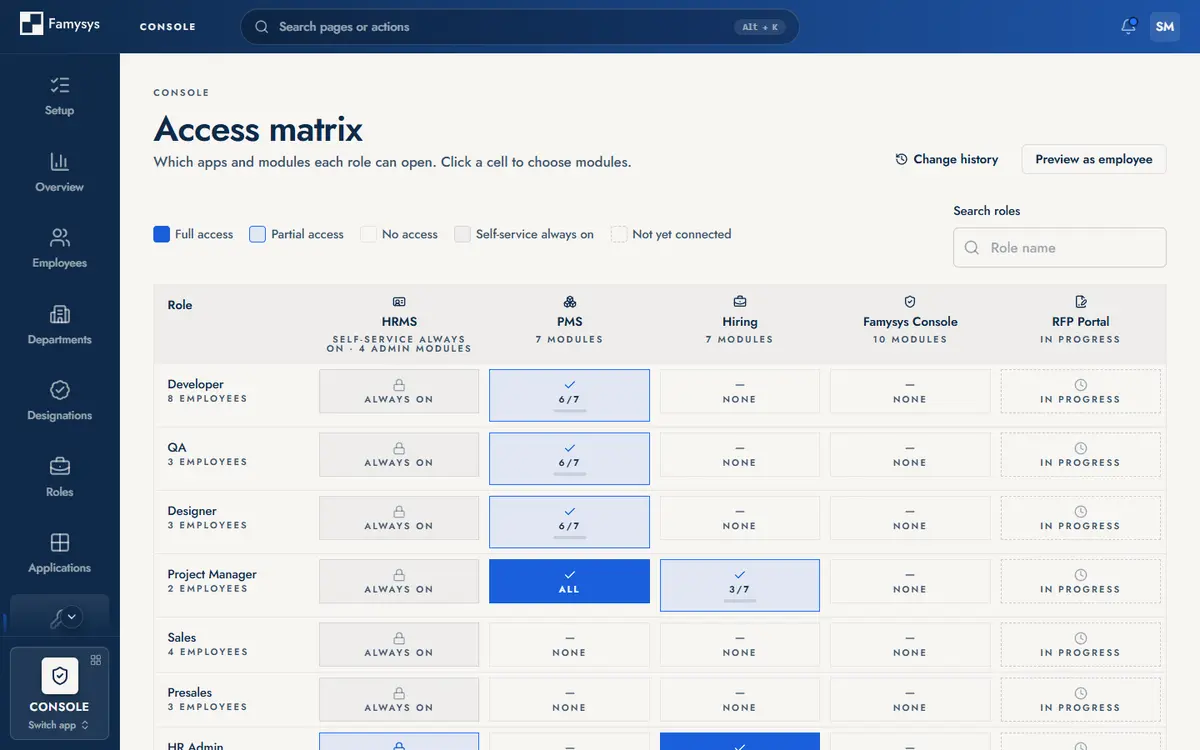
Four demo roles and what each can open: an Admin opens HRMS self-service and all ten Console modules; an HR Admin opens HR administration, records and reports plus all of Hiring; a Project Manager opens HRMS with team views, all of PMS and three Hiring modules; a Developer opens HRMS self-service and six of the seven PMS modules.
The session stores only who you are, never a role. Access is worked out on every render from the roles on your record, then per-person overrides, each of which needs a written reason. Revoke something in the Console and it is gone on the next click. The last Console admin cannot be demoted, not even by themself.
01 — HiringRecruitment, from careers page to offer letter
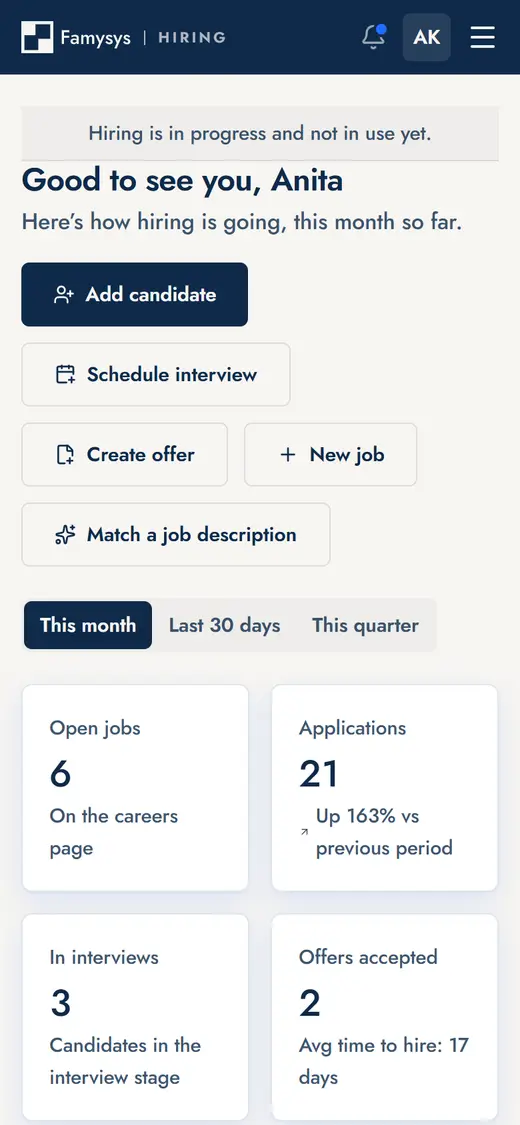
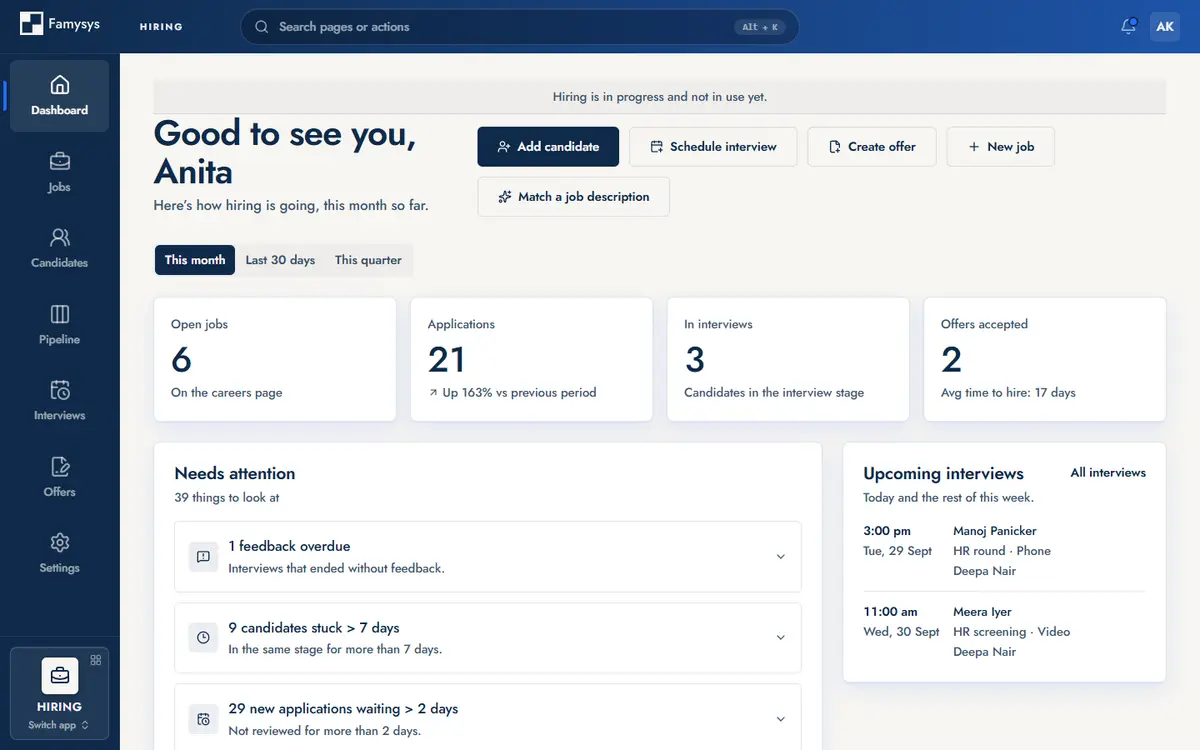
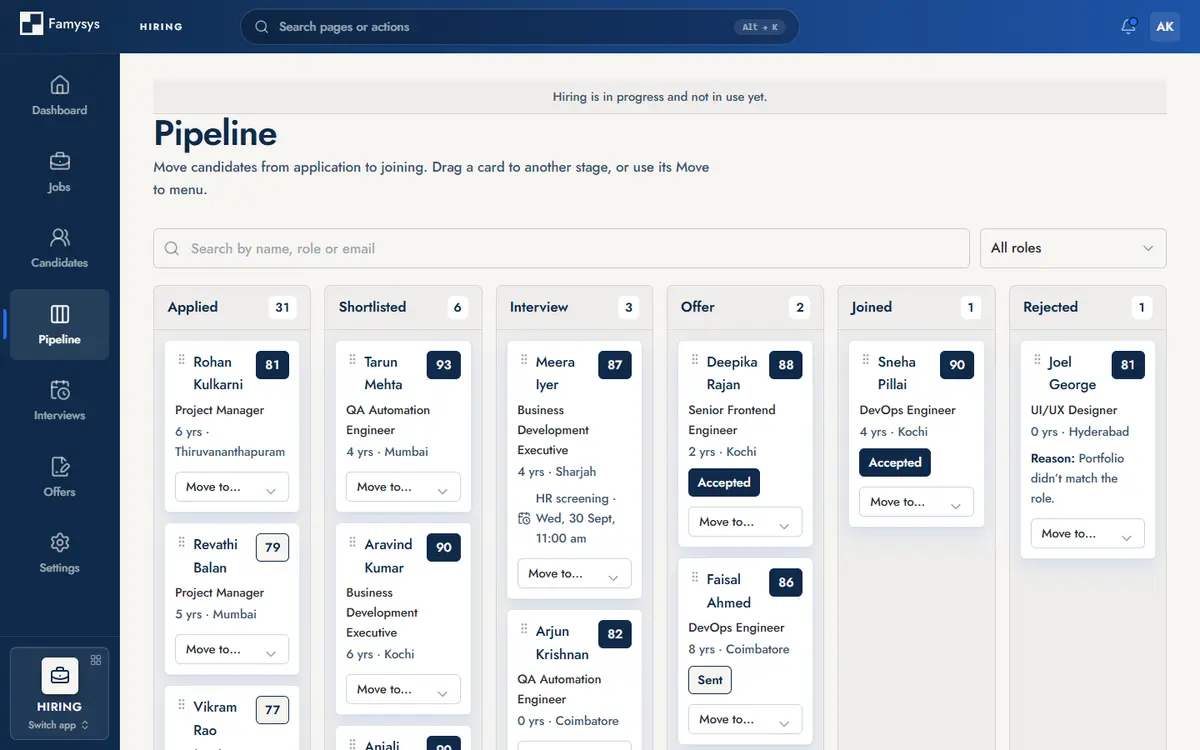
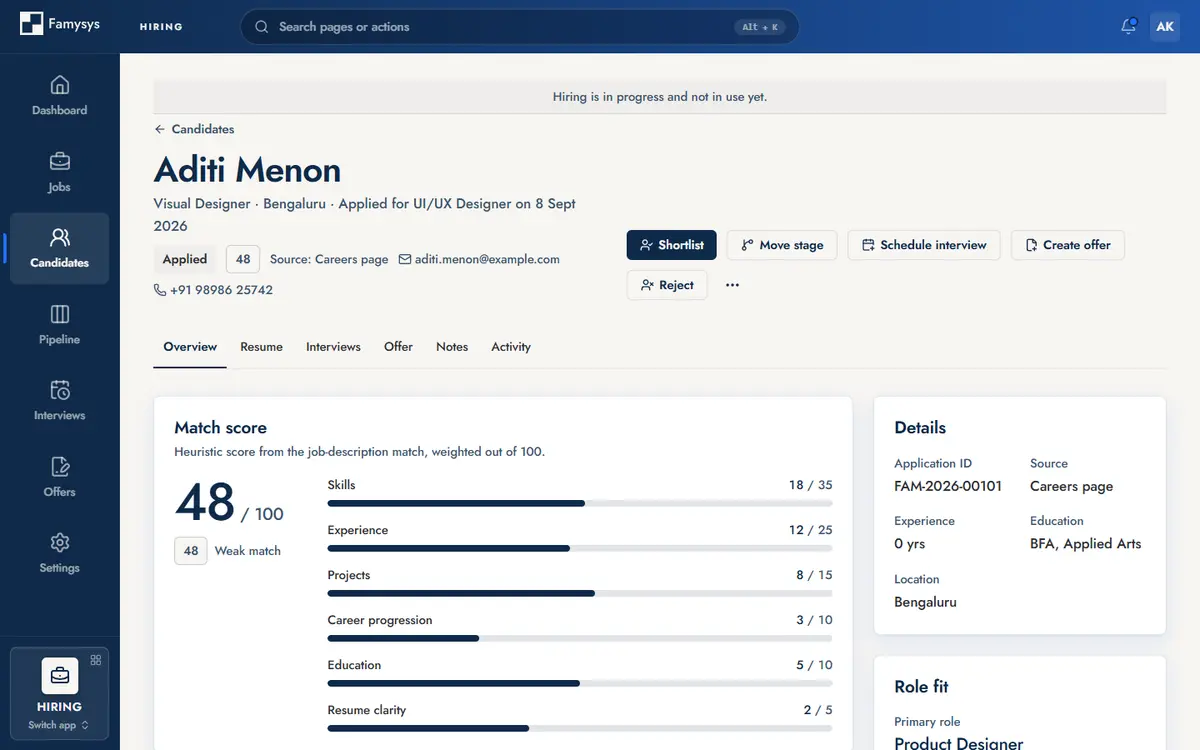
A public careers site feeds candidates into a pipeline board. HR moves them through stages, schedules interviews, scores them against a job description, issues an offer with a CTC breakdown, and converts the accepted one into an employee record.
- Jobs: draft, publish, edit; the careers page and apply form read from them
- Candidates with filters, tags, notes, résumé preview and a journey timeline
- Pipeline board: drag or "Move to", with a reasoned reject dialog
- Interviews on a week calendar, with scheduling and feedback
- Offers: CTC breakdown, offer letter PDF, convert to employee
- JD Match: a transparent keyword score with run history, blind to personal attributes
02 — ConsolePeople, roles and who may open what
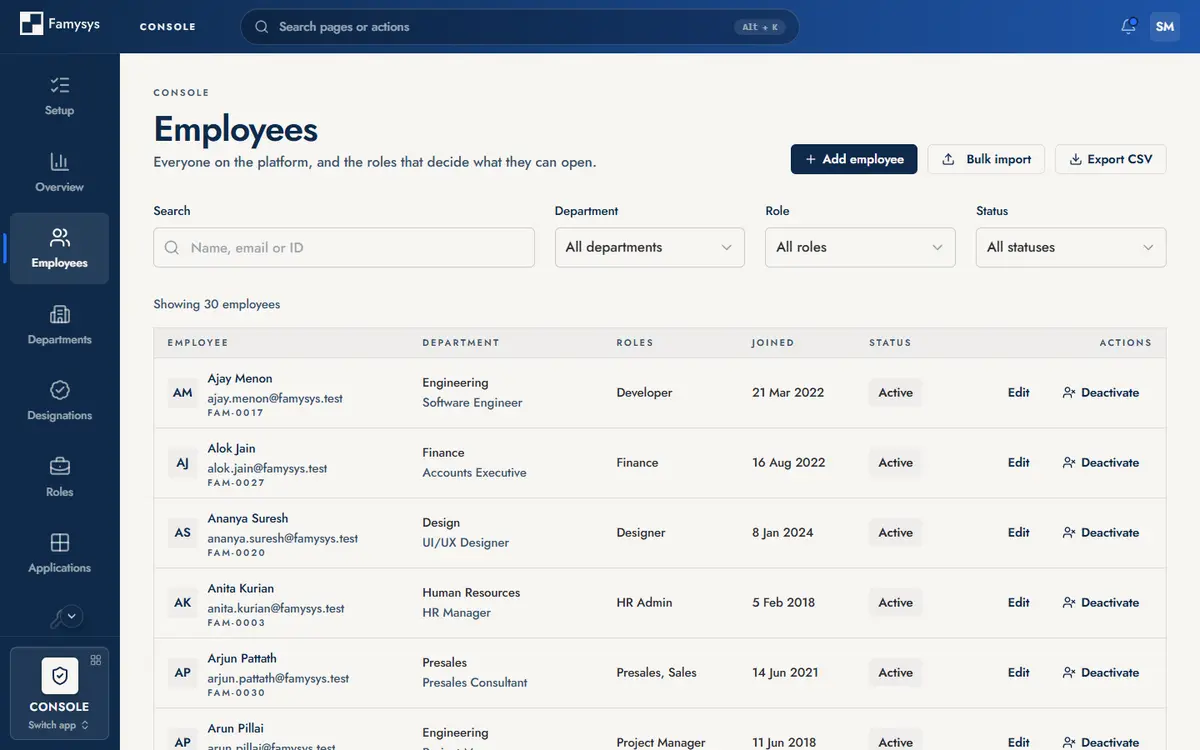
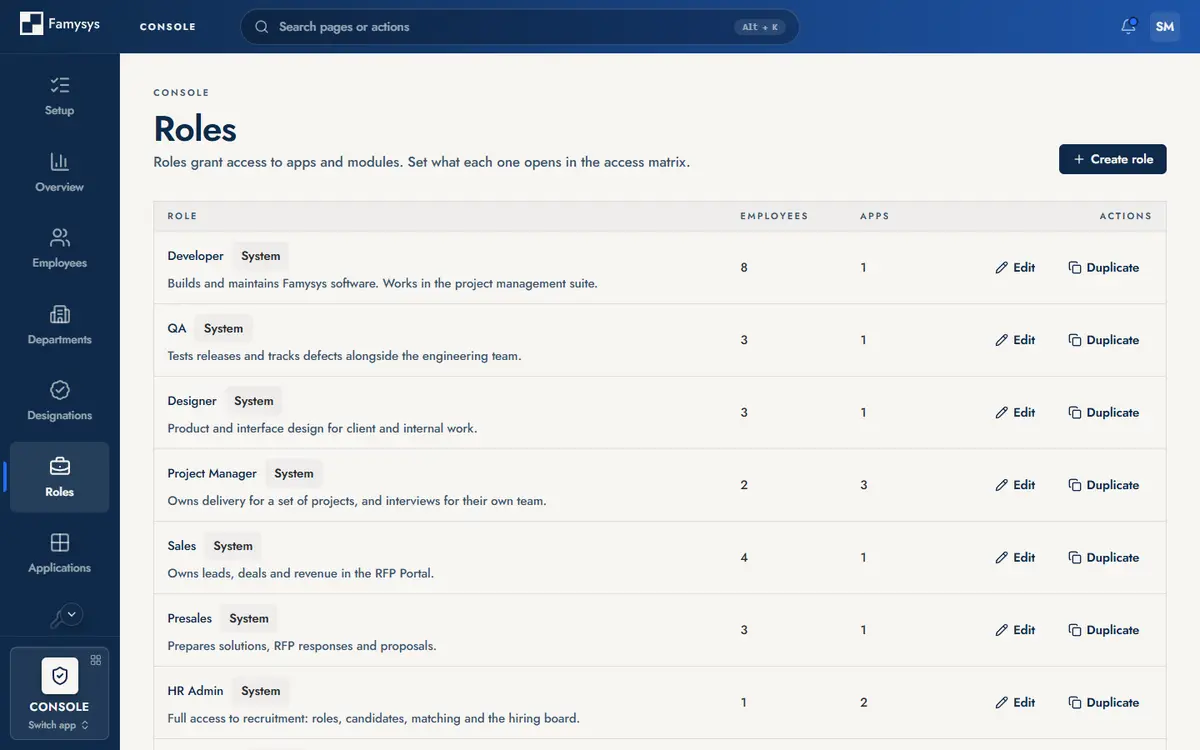
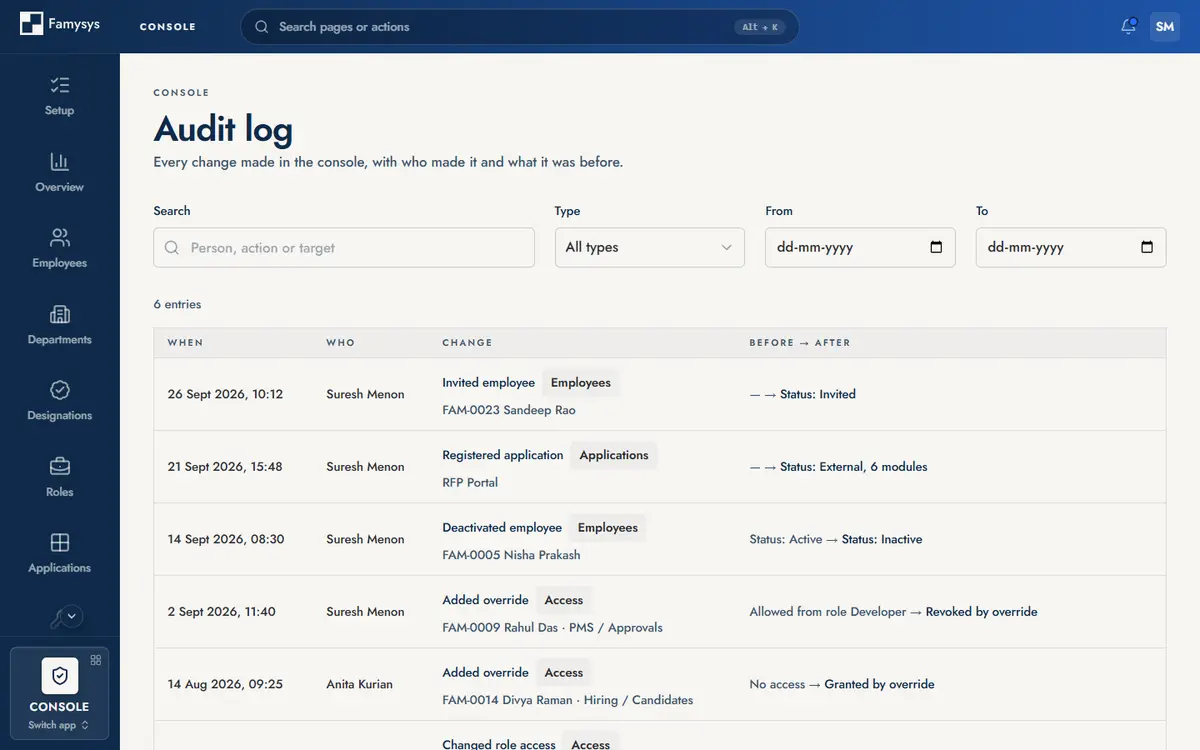
The admin site. Employees, departments and designations are set up here, roles are defined, and the access matrix decides which apps and modules each role can open. Every change is audited, and an admin can preview the platform as any employee before saving.
- Employees: detail, form, CSV import, temporary passwords, invite and deactivate
- Roles and the access matrix, with a card view on phones
- Applications registry: apps and modules are data, not code
- Audit log of every change, with the reason behind each override
- "Preview as employee" and a go-live setup checklist
- Last-admin protection: the final admin cannot be locked out
03 — HRMSAttendance, leave, payroll, people
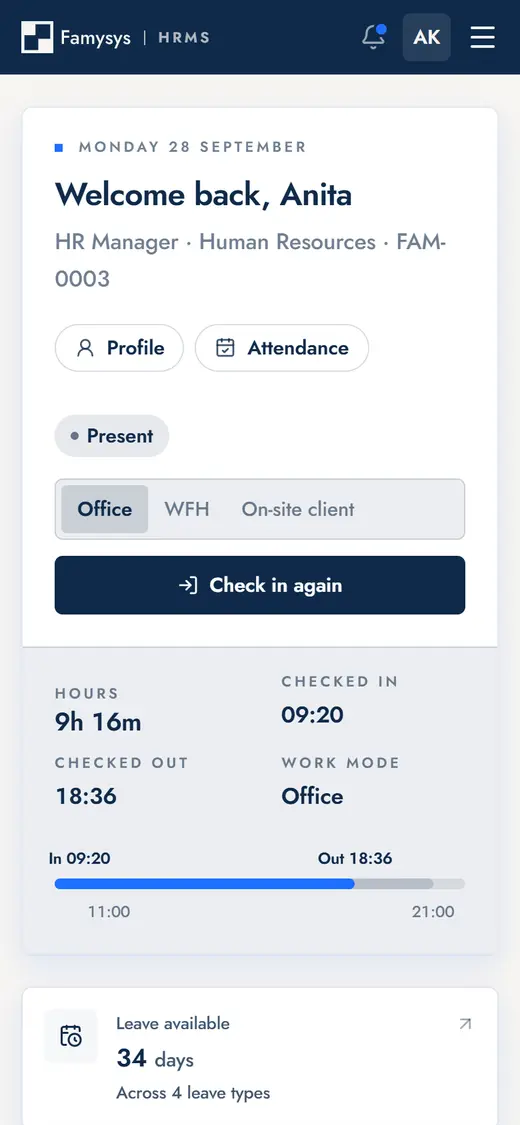
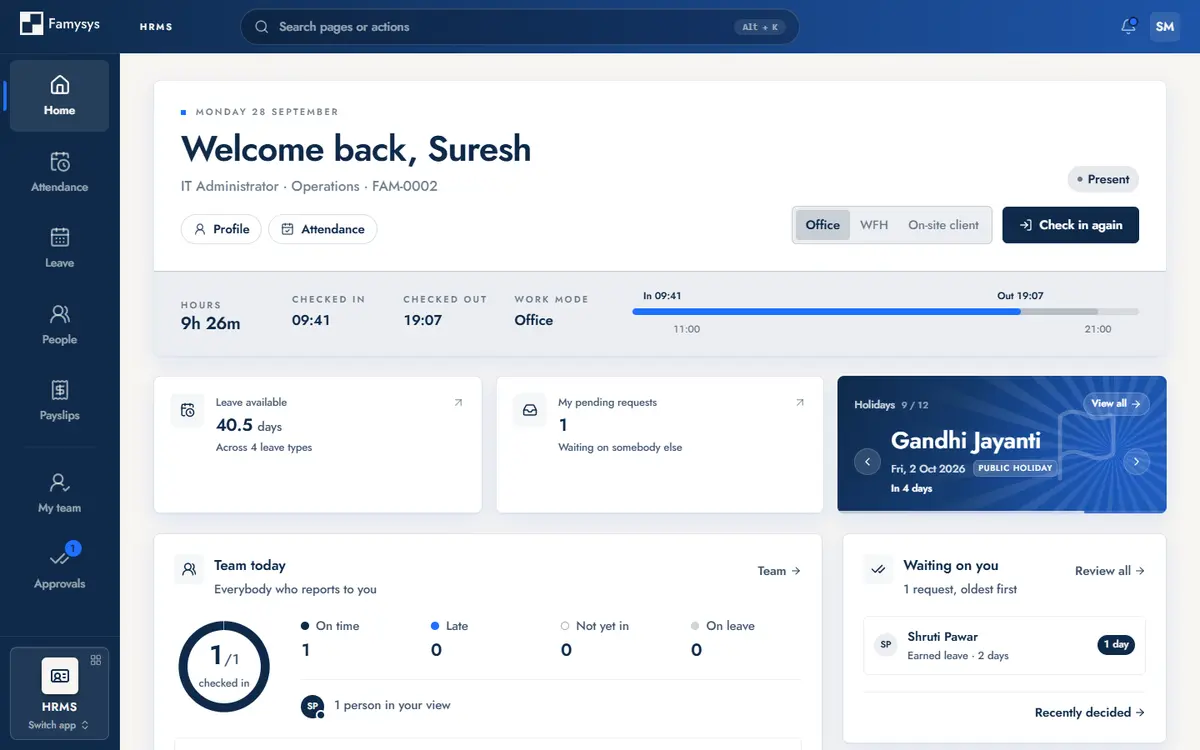
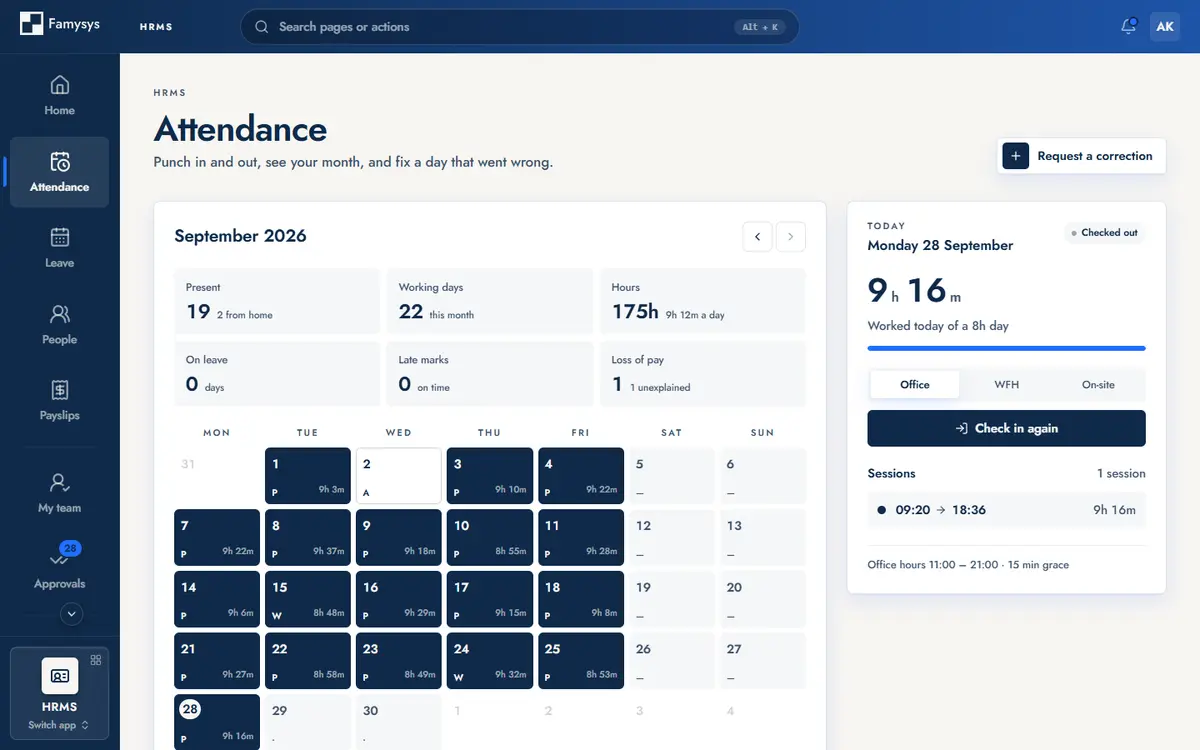
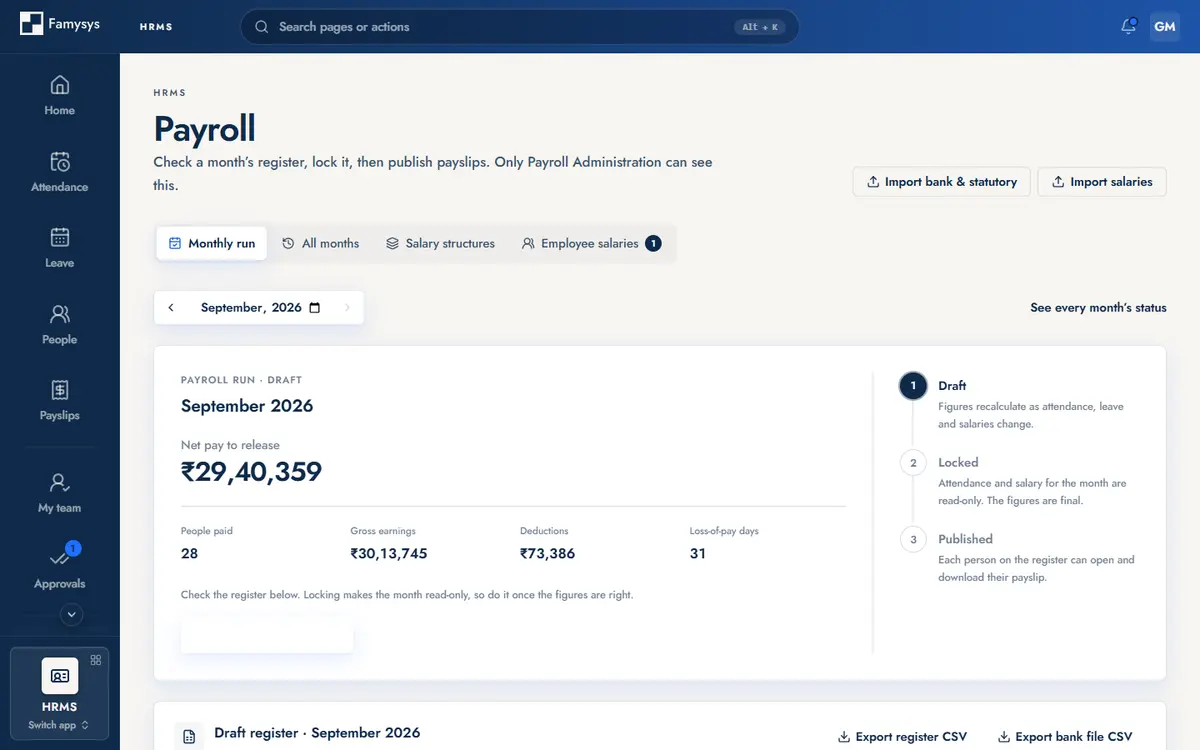
The app every employee opens. Check in, apply for leave, read a payslip, keep your profile current. Managers see their team; HR runs records, policies and reports; Finance runs payroll and generates the payslip PDFs on the server.
- Home with today's hours, leave balance, pending requests and holidays
- Attendance check-in, work mode and corrections; team views of who is in or out
- Leave: apply, history, holidays, policy; admin rules, adjustments and balances
- Approvals, pending and decided, for managers and HR
- Payroll months, salary structures, imports, and payslip PDFs
- Records: onboarding, exits, documents, change requests; reports on all of it
04 — PMSProjects, tasks, timesheets, allocation
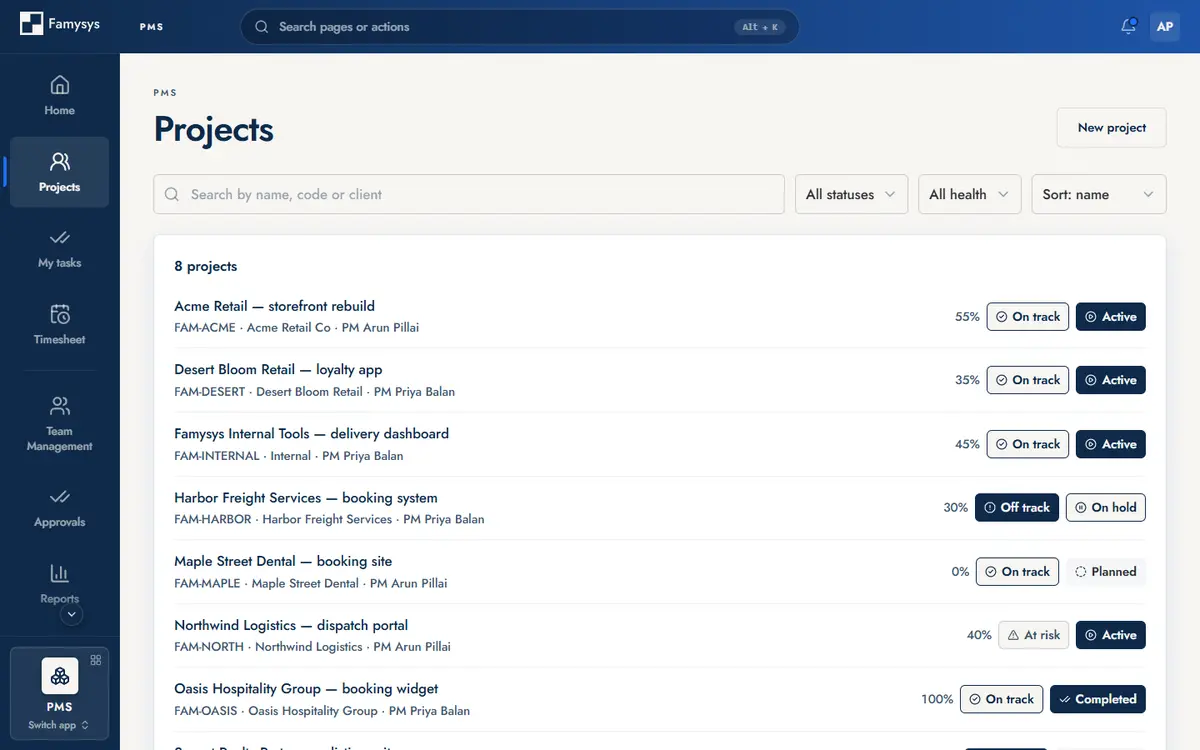
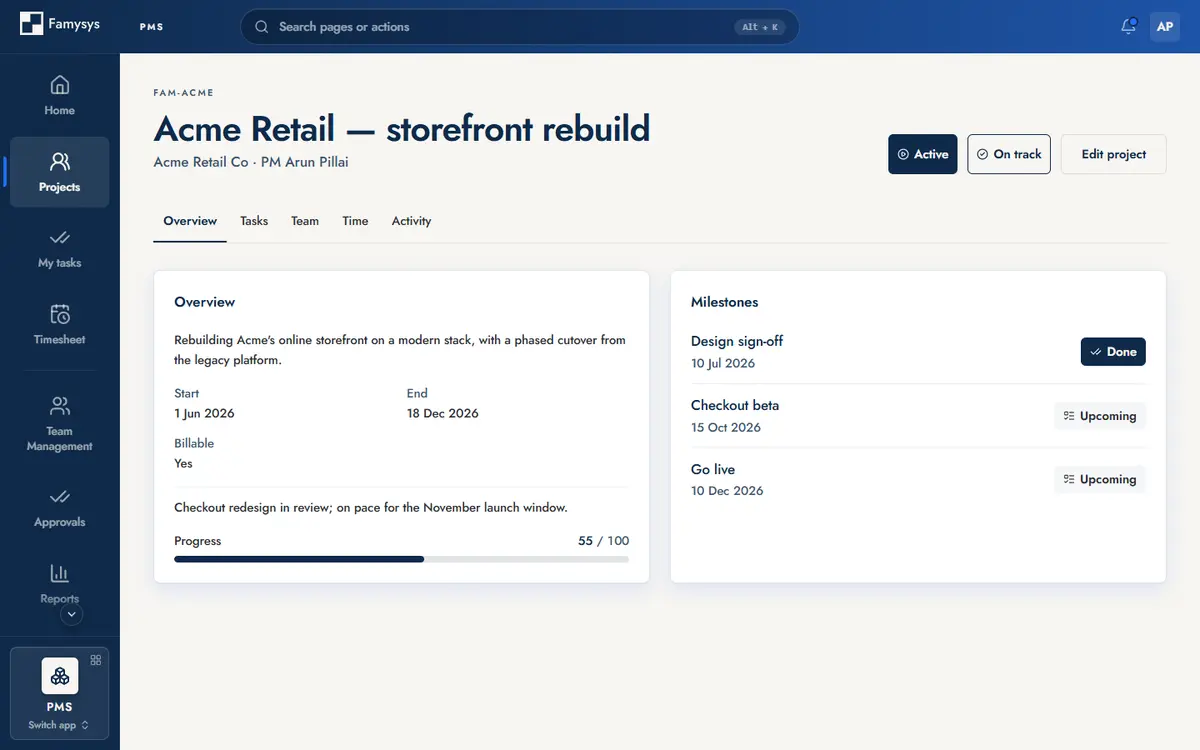
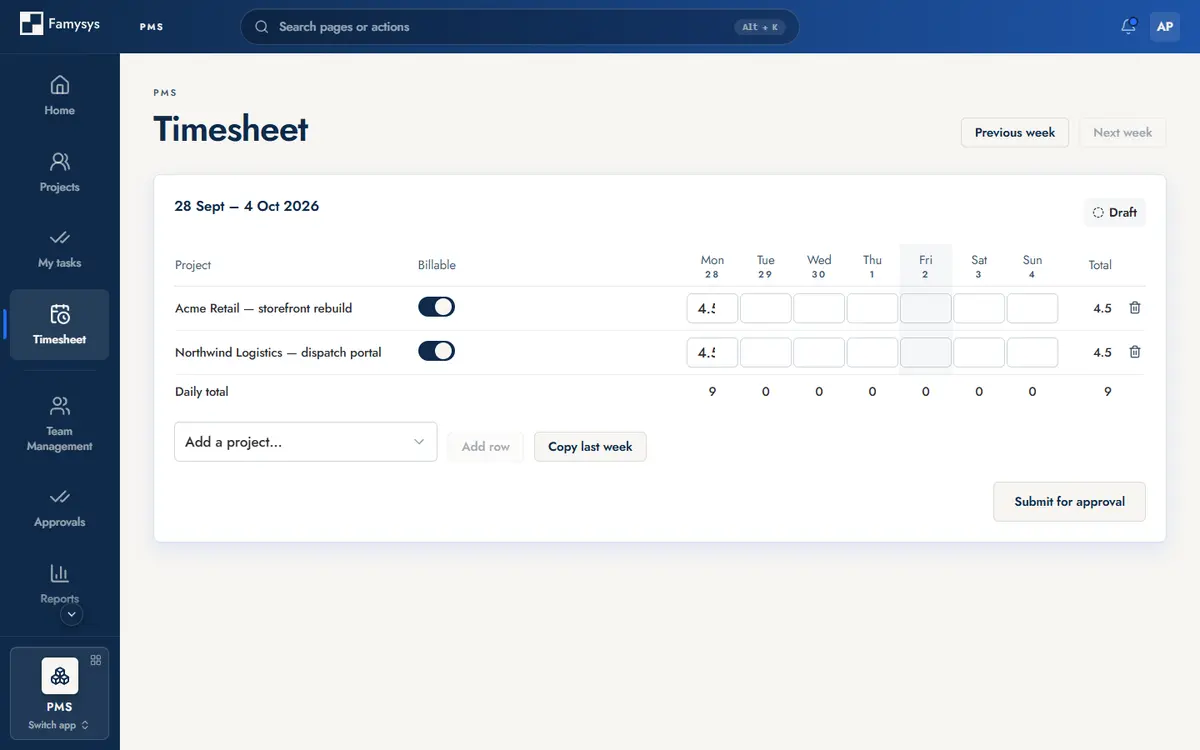
Project managers plan work, developers log it. Projects carry milestones and members, tasks live on a board, hours go into a weekly grid, allocation shows who has room, and approvals and reports close the loop. PMS has no always-on module: access needs both a role and project membership.
- Projects: create, edit, reopen; milestones, members, progress, client
- Tasks on a board with a detail panel
- Weekly timesheet grid, submitted for approval
- Team allocation across projects
- Clients and approvals
- Reports for the director, read-only
05 — Role-based accessOne sign-in, and a door that knows you
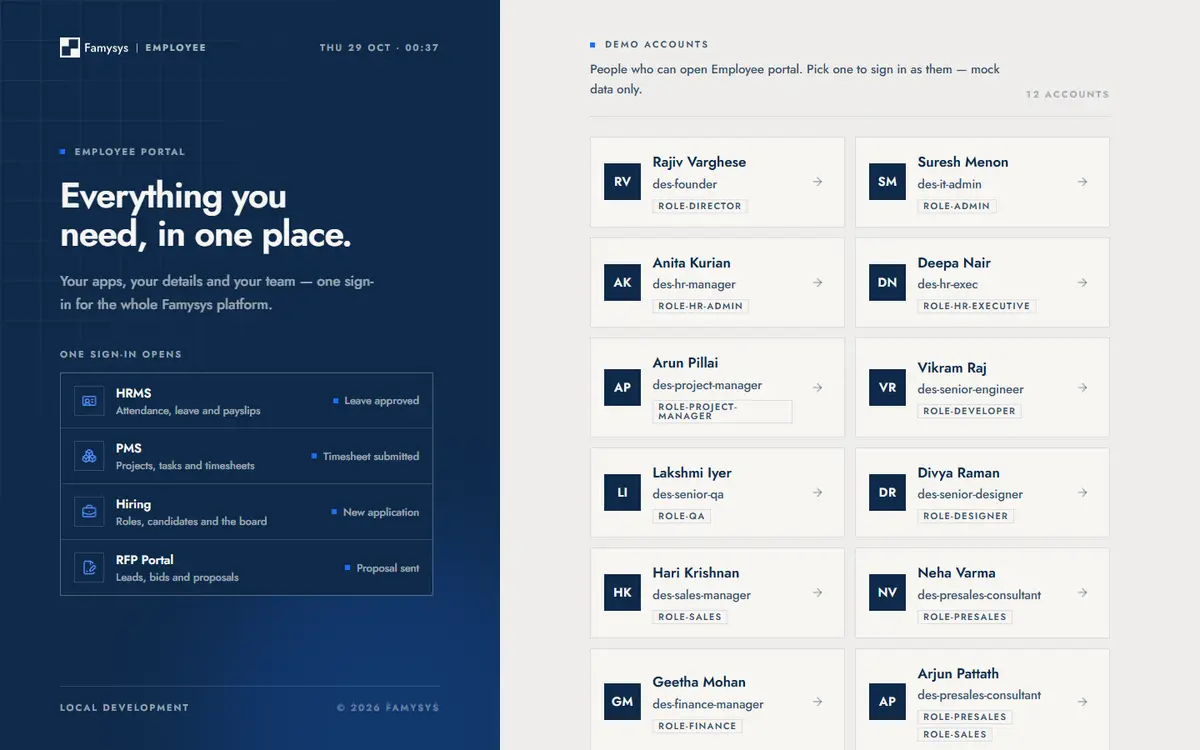
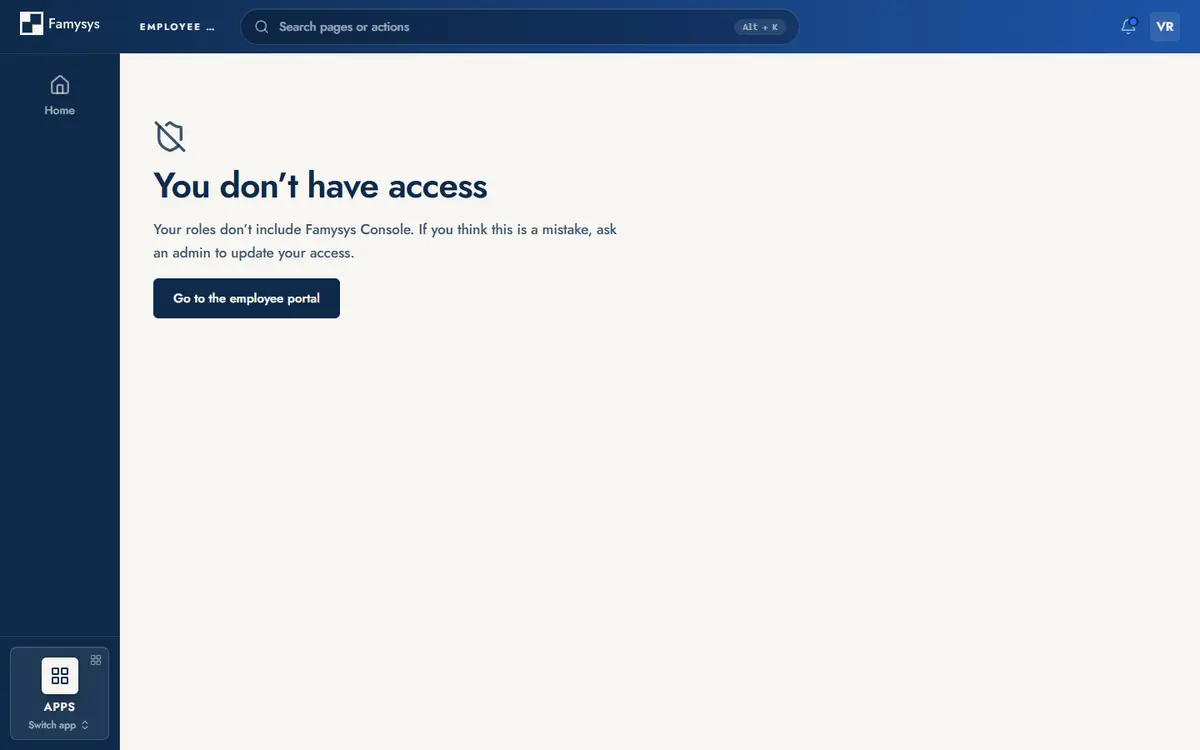
Signing in on one site signs you into all of them. Each site then checks access after sign-in: someone who may not open it sees a clear refusal and a way back, not an error. The demo panel on the login page lists only the accounts that can open that site, so the panel itself demonstrates the rules.
06 — On a phoneThe same platform, installable
It is a PWA: a manifest, a service worker that caches only static assets and never the API, an offline page, and a logout that wipes the caches. Every screen was shot at 390px as well as 1440px before it was called done.